


Google Doodle is a feature that changes the logo of Google on its homepage to celebrate holidays, events, achievements, and people. Sometimes, Google Doodle also offers interactive games that users can play for free. These games are usually related to the theme of the doodle, and they can be educational, fun, or challenging.
In this blog post, we will answer some common questions and provide some tips and resources for parents who want to use Google Doodle games as a positive and productive activity for their children.
The history of Google Doodle
The first Google Doodle was created in 1998 by Google founders Larry Page and Sergey Brin, who modified the logo to indicate that they were attending the Burning Man festival in Nevada. Since then, Google has created over 4,000 doodles for different occasions and regions with the help of a team of artists and engineers known as “Doodlers”.
Some of the most memorable doodles include:
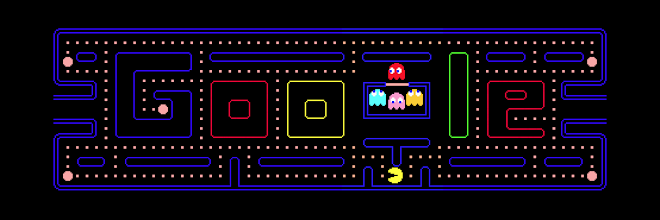
- The first interactive doodle, which celebrated the 30th anniversary of Pac-Man in 2010, allowed users to play the classic arcade game on the Google homepage.
- The first animated doodle, which honoured the birthday of Charlie Chaplin in 2011, featured a short film inspired by his movies.
- The first musical doodle, which celebrated the 96th birthday of Les Paul in 2011, enabled users to play and record their tunes on a virtual guitar.
- The first global doodle, which marked the opening of the 2012 Summer Olympics in London, featured a different sport each day for 17 days.
- The first live-action doodle, which commemorated the 50th anniversary of Doctor Who in 2013, featured a mini-game where users could control the TARDIS and travel through time.
How to find Google Doodle games
Google Doodle games are not always available, as they depend on the occasion and the region. However, you can always access the archive of past doodles and games on the Google Doodle website (https://www.google.com/doodles). There, you can browse by year, country, or category, and find hundreds of doodles and games that cover various subjects and genres.
Some of the most popular Google Doodle games include:
- Coding for Carrots: A game that teaches kids the basics of coding and logic by using blocks to guide a rabbit to collect carrots.
- Quick, Draw!: A game that challenges players to draw an object or concept in 20 seconds or less, and see if the artificial intelligence can guess it.
- Lotería: A game that is based on the traditional Mexican card game of the same name, where players have to match images on their boards with the ones drawn by the announcer.
- Halloween 2018: A game that features a cat named Momo who has to fight off ghosts and other spooky creatures with her magic wand.
- Cricket 2017: A game that simulates a cricket match between two teams of crickets, with simple controls and cute animations.
How to control the time and content of the games
As with any online activity, it is important to set some boundaries and rules for your kids when they play Google Doodle games. Here are some suggestions:
- Limit the time they spend on the games. You can use a timer or an app to monitor how long they play, and remind them to take breaks and do other things.
- Check the content of the games before letting them play. Some games might not be suitable for younger or more sensitive kids, as they might contain violence, scary images, or difficult concepts. You can preview the games on the Google Doodle website or watch a video of them on YouTube.
- Supervise them while they play. You can join them in playing the games or watch them from nearby, and offer guidance, feedback, or encouragement. You can also use this opportunity to talk to them about the theme or message of the game, and how it relates to their own experiences or interests.
- Enable parental controls on your browser or device. You can use features such as SafeSearch, Restricted Mode, or Screen Time to filter out inappropriate content, block certain websites, or limit the access to certain apps.
How to make the most of the games for your kids’ learning and enjoyment
Google Doodle games are not only entertaining but also educational. They can help your kids learn new facts, skills, or perspectives, as well as spark their curiosity and imagination. Here are some ways to enhance their learning and enjoyment:
- Encourage them to explore different games. You can suggest they try different types of games, such as puzzles, quizzes, sports, music, art, etc., and see what they like best. You can also challenge them to play games that are related to subjects they are studying at school or hobbies they have at home.
- Ask them questions about the games. You can ask them questions such as:
- What did you learn from this game?
- What did you like or dislike about this game?
- What was the most difficult or easy part of this game?
- How did this game make you feel?
- What would you change or improve about this game? These questions can help them reflect on their experience and express their opinions and emotions.
- Connect the games to real life. You can help them make connections between the games and real life situations or events. For example:
- If they play a game about a historical figure or event, you can show them pictures or videos of that person or period and tell them more stories or facts about it.
- If they play a game about a cultural tradition or celebration, you can introduce them to some aspects of that culture, such as food, music, language, or customs, and compare and contrast them with your own culture.
- If they play a game about a scientific phenomenon or concept, you can demonstrate or explain it to them with simple experiments or examples and encourage them to ask questions or make predictions.
Google Doodle games are a fun and creative way to engage your kids in online activities that can enrich their knowledge and skills. By following these tips and resources, you can make sure that they have a safe, positive, and productive experience with these games. Happy doodling!
